/ Healthcare Technology
Automatic Accession Numbers in DICOM Files — No Manual Editing
If your IT team is still editing .dcm files one by one to inject accession numbers, that's not a workflow — that's a workaround. Learn why this problem happens and how the flow is supposed to work.
Quick answer
What to know before reading further
- Automatic accession numbers are achieved through Modality Worklist — the modality pulls the order from the PACS and the accession number automatically enters the DICOM metadata when the examination is performed.
- If accession numbers need to be manually edited in .dcm files, that indicates the worklist flow isn't working correctly between the SIMRS, PACS, and modality.
If every examination requires manually editing a .dcm file, that’s not a workflow
Every day, in many hospital IT teams across Indonesia, someone opens MicroDicom or runs a dcmmodify command in the command prompt to fill in or change the accession number in DICOM files one by one — before those files can be sent to SATUSEHAT.
If you’re one of those people, this article matters. Not because the process is wrong — but because there’s a proper way it should work, and manual editing isn’t part of it.
What is an accession number and why is it critical?
An accession number is the unique identifier for a single radiology examination. It becomes the “glue” connecting three different points:
- The order in SIMRS — when a physician or administrator registers an examination, the accession number is created here
- The DICOM file from the modality — when an X-ray or CT is performed, the accession number must be in the file metadata
- The ServiceRequest in SATUSEHAT — when sent to SATUSEHAT, the accession number is the key the DICOM Router uses to match the file with the correct order
If any of these three points are out of sync — different accession numbers, or one is missing — the transmission fails.
Why are accession numbers often empty in DICOM files?
This is the root problem that’s most commonly misunderstood.
The accession number in a DICOM file is not filled in automatically by the PACS or system after the examination. It’s filled in by the modality when the examination is performed — but only if the technologist pulls an order from the worklist first.
Here’s the difference between the two flows:
With worklist (the intended flow):
- Admin registers patient in SIMRS → accession number is created
- Modality pulls the order list from the PACS worklist
- Technologist selects the correct patient order
- When the examination is performed, the accession number from the order automatically enters the DICOM metadata
- DICOM file is ready to send — accession number is already there
Without worklist (what often happens):
- Admin registers patient in SIMRS → accession number is created in SIMRS
- Technologist manually inputs patient identity on the modality
- Examination is performed — accession number in the DICOM file is empty or filled with a random modality-generated value
- DICOM file can’t be sent directly to SATUSEHAT — accession number doesn’t match
- Manual editing required before transmission
The problem isn’t with the equipment or SATUSEHAT. The problem is the broken connection between SIMRS and the modality.
Why worklist often doesn’t work
There are several reasons why the worklist flow doesn’t run at many facilities:
Modality vendors lock the MWL feature. Some radiology devices, especially older ones, have Modality Worklist features locked by the vendor. Activating them requires contacting the vendor and sometimes paying additional fees.
PACS hasn’t been configured to serve worklists. Worklist isn’t something that automatically exists when a PACS is installed. Configuration is needed — enabling the MWL server, defining order formats, and ensuring the modality knows where to query.
Technologists are used to manual input. Old habits are hard to change. Even when a worklist is available, technologists accustomed to manual input tend to skip the worklist pull step — especially when busy.
No feedback when accession numbers are empty. Modalities don’t warn when accession numbers aren’t populated. The DICOM file is still created, looks normal, and the problem is only discovered when SATUSEHAT transmission fails.
About the undocumented 16-character limit
There’s one important thing to know before deciding on the accession number format in SIMRS: the Kemkes DICOM Router can only process accession numbers up to 16 characters long.
This isn’t explicitly stated in the official documentation. Many IT teams only discover it after experiencing confusing errors — ServiceRequest successfully sent to SATUSEHAT, DICOM file enters the DICOM Router folder, but nothing gets processed.
If the accession number format in SIMRS already exceeds 16 characters (for example, a combination of facility code + date + sequence number), this needs to be revised before it can work with the standard DICOM Router.
When is manual editing legitimate?
Editing .dcm files manually using dcmmodify or MicroDicom is a valid technique — in the right context:
- Testing and simulation — when IT teams need to verify that the DICOM Router flow works without waiting for an actual examination
- Historical data — when old DICOM files need their accession numbers adjusted to be retransmitted
- Single-case debugging — when one problematic file needs a quick fix
What shouldn’t happen is using manual editing as part of the daily production workflow for all examinations. It doesn’t scale, is prone to error, and can’t be audited easily.
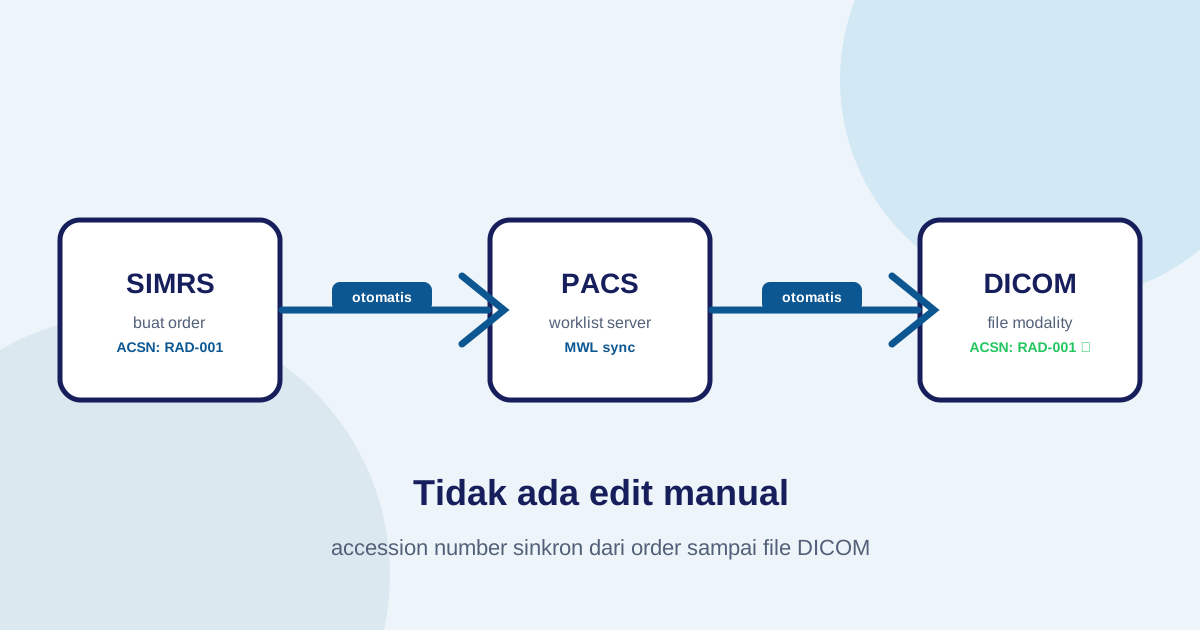
The flow as it should work
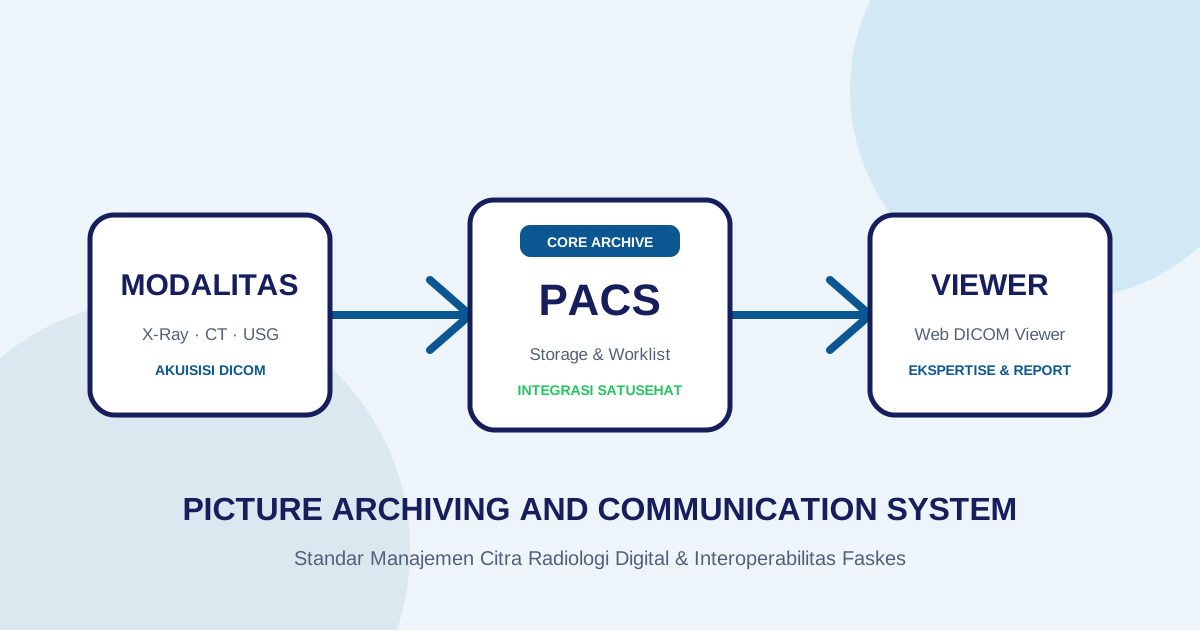
When worklist runs correctly and all components are connected, the flow is:
SIMRS creates order → accession number generated
→ Modality pulls worklist → technologist selects order
→ Examination performed → DICOM created with ACSN automatically
→ PACS receives DICOM → DICOM Router processes it
→ ServiceRequest + DICOM sent to SATUSEHAT
No manual editing step. No possibility of ACSN mismatch between ServiceRequest and DICOM file. No per-examination debugging required.
What needs to be prepared to achieve this?
- Ensure the PACS supports Modality Worklist and is configured to serve worklists to the modality
- Coordinate with the modality vendor to enable the MWL feature if it’s locked
- Define a consistent accession number format — and ensure the length doesn’t exceed 16 characters if using the standard DICOM Router
- Train technologists to always pull orders from the worklist before starting an examination
- Verify the flow with several test examinations before going to full production
Imagestro-PACS manages accession numbers as part of the order flow — automatically generated when an order is created, synced to the modality worklist, and available in DICOM metadata without manual steps. The system also handles edge cases like modalities that don’t support worklist through a browser-operable accession correction mechanism. Try Imagestro free to see this flow working in your facility.
Key terms
Quick glossary
- Accession Number (ACSN)
- A unique identifier for a single radiology examination that connects the order in SIMRS, the DICOM file from the modality, and the data in SATUSEHAT.
- dcmmodify
- A command-line tool from the DCMTK toolkit used to modify DICOM tags in .dcm files, including changing or adding accession numbers.
- MicroDicom
- A Windows DICOM viewer software that also has basic DICOM tag editing features.
- Modality Worklist (MWL)
- A list of examination orders that a modality can pull from a PACS or worklist system, so technologists don't need to manually enter patient data and accession numbers on the device.
Frequently asked
Questions teams ask before implementation
- Why are accession numbers often empty in DICOM files?
- Accession numbers in DICOM files are populated by the modality when the examination is performed — but only if the technologist pulls the order from the worklist before starting. If the examination is performed without pulling an order from the worklist (manual input on the modality), the accession number field will be empty or filled with a value that doesn't match the system.
- Must the accession number match exactly between the SATUSEHAT ServiceRequest and the DICOM file?
- Yes, it must match exactly — including case sensitivity. The DICOM Router matches the accession number in the DICOM file metadata with the accession number in the ServiceRequest already sent to SATUSEHAT. If they don't match, the DICOM file won't be processed.
- What is the maximum accession number length the DICOM Router can process?
- The Kemkes DICOM Router has a 16-character limit for accession numbers. Accession numbers longer than 16 characters will cause processing errors. This is an undocumented limitation that often causes confusing errors for teams that have set up longer accession number formats in their SIMRS.
- Can manual .dcm editing be a long-term solution?
- Not recommended for production scale. Manual editing is prone to human error, doesn't scale as examination volume increases, and can't be easily audited. It's a valid emergency solution for testing or historical data, not for daily production workflows.
Transmit Radiology to SATUSEHAT Without the Setup Hassle
Connect your clinical imaging workflow—from modality worklists and automated accession numbers to web DICOM viewing and SATUSEHAT synchronization. Free Tier available for clinics and hospitals.
Content cluster